
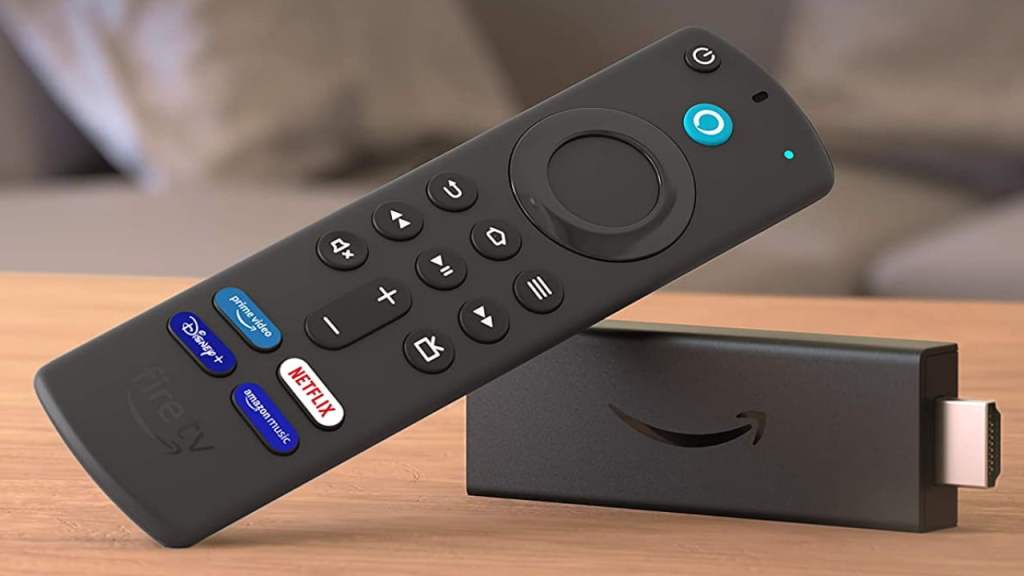
Streaming devices are compact gadgets that connect to your TV, enabling you to access content from a wide range of online streaming services. Whether you own a non-smart TV or are frustrated by a sluggish and outdated smart TV interface, a streaming device can significantly improve your entertainment experience. These devices plug into your TV’s HDMI port and provide access to popular streaming apps, voice controls, screen casting, smart home features, and more.
Below is a brief overview of the most popular streaming device platforms available today:
- Android TV & Google TV Devices – Powered by Google’s Android TV or Google TV operating systems, these devices offer access to a vast library of apps and streaming services through the Google Play Store. Popular examples include the Xiaomi TV Stick 4K, Chromecast with Google TV, and Google TV Streamer.
- Amazon Fire TV Devices w/ Fire OS – Most Amazon Fire TV devices run on Fire OS, which is a customized version of Android. It provides a streamlined streaming experience with built-in Alexa voice controls and a user-friendly interface. Popular models include the Amazon Fire TV Stick 4K and Fire TV Stick 4K Max.
- Amazon Fire TV Devices w/ Vega OS – Some of Amazon’s Fire TV devices also run on Vega OS, a custom OS developed by Amazon, built as a largely closed ecosystem. It is designed to provide a streamlined streaming experience, much like Fire TV OS, with built-in Alexa voice controls and a familiar user interface. Popular models include the Amazon Fire TV Stick 4K Select and Fire TV Stick HD.
- Apple TV – Apple’s streaming platform runs on tvOS and is known for its premium user experience, smooth performance, and seamless integration with other Apple devices. The Apple TV 4K is widely considered one of the best streaming devices on the market.
- NVIDIA Shield TV – Designed for power users, the NVIDIA Shield TV combines premium streaming capabilities with advanced gaming features. Running on Android TV, it offers excellent performance and supports features such as AI-powered upscaling. Popular models include the NVIDIA Shield TV and NVIDIA Shield TV Pro.
Why Use a Streaming Device?
Streaming devices can transform almost any television into a modern smart TV, providing access to services such as Netflix, Prime Video, JioHotstar, YouTube, and many others. Most modern devices support features like 4K HDR playback, Dolby Vision, Dolby Atmos, and voice control for an enhanced viewing experience.
While many smart TVs come with built-in streaming apps or Android-based operating systems, their software can often feel slow, cluttered, or outdated over time. Dedicated streaming devices typically offer faster performance, smoother navigation, more frequent software updates, and better long-term app support, making them a worthwhile upgrade for many users.
Recent Updates
17/06/26: Updated the guide with the latest recommendations, information, and buying insights.
18/06/26: Corrected an earlier factual error concerning Vega OS and the Fire TV Stick 4K Plus.
- Android TV & Google TV devices offer the most flexibility and allow users to easily sideload apps, including many popular open-source applications that may not be available on the Play Store.
- Some newer Amazon Fire TV devices running on Vega OS (a proprietary OS developed by Amazon) do not support Android apps and do not allow users to sideload applications.
- However, Amazon Fire TV devices that are still based on Android continue to support app sideloading.
- Apple TV operates within a closed ecosystem. Users can only install apps that are available through the App Store.
- Many streaming devices come with only 8GB of storage, with around 5GB typically available to users. Since modern apps can easily occupy 160MB or more each, installing just five apps may occupy nearly 1GB of storage.
- So consider devices with at least 16GB of storage if you plan to install multiple streaming apps, media players, emulators, or other utilities.
- Also avoid importing streaming devices from other countries, especially the U.S., as some devices (e.g. ONN Android TV 4K) are region-locked.
My Recommendations:
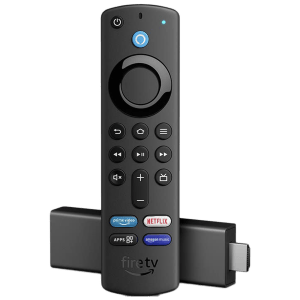
1. Amazon Fire TV Stick 4K (Refurbished)
 | Resolution: 4K UHD Dolby Vision, HDR, and HDR10+ |
 | Storage: 8GB RAM: 2GB |
 | Audio decoder: Dolby Atmos |
Amazon has discontinued this model in favor of the Fire TV Stick 4K Plus. However, both devices offer very similar features and performance. As a result, purchasing this model—even as a refurbished unit—can be a more cost-effective option than spending considerably more on the newer replacement.
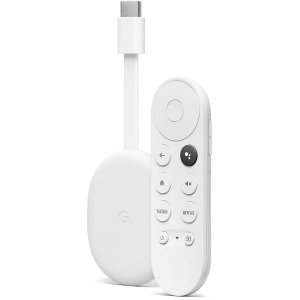
2. Google Chromecast
| Resolution: 4K Dolby Vision, HDR, and HDR10+ |
| Storage: 8GB RAM: 2GB |
| Audio decoder: Dolby Atmos |
If I am going to spend around ₹6,000 on a streaming device, this would be my first choice. That said, if the Amazon Fire TV Stick 4K Max were officially available in India, I would probably choose that instead. However, this device has the advantage of being officially sold by Google in India and is readily available on Flipkart, making it an easy and reliable purchase for most buyers.
3. Amazon Fire TV Stick 4K Plus
| Resolution: 4K UHD Dolby Vision, HDR, and HDR10+ |
| Storage: 8GB RAM: 2GB |
| Audio decoder: Dolby Atmos |
At its current selling price of ₹6,499, I find this device difficult to recommend as it’s priced significantly higher than the previous generation.
That said, the lack of strong competition in this price segment still makes it a viable option for many buyers. If you can pick it up for around ₹4,999 during a sale, it becomes a much more attractive purchase and far easier to recommend.
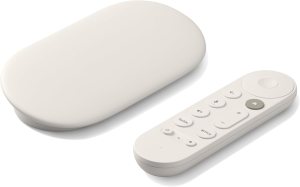
4. Google TV Streamer (4K)
| Resolution: 4K Dolby Vision, HDR, and HDR10+ |
| Storage: 32GB RAM: 4GB |
| Audio decoder: Dolby Atmos |
The Google TV Streamer is not officially sold in India, but it is often available through Amazon and other online marketplaces. Unlike some streaming devices that impose regional restrictions, the Google TV Streamer works in India without any major limitations.
Whether you purchase it from an importer or have a friend bring one from abroad, you should be able to use it normally with Indian streaming services and apps.
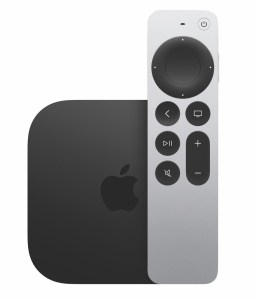
5. Apple TV 4K
| Resolution: 4K Dolby Vision, HDR, and HDR10+ |
| Storage: 64GB |
| Audio decoder: Dolby Atmos |
If sideloading apps isn’t a priority and you’re looking for a powerful streaming device with a clean, responsive user interface, the Apple TV 4K is an excellent choice.
It offers some of the best performance, delivering smooth navigation, fast app launches, and long-term software support. Unlike most streaming devices, the Apple TV 4K is also powerful enough to handle gaming with ease, making it a great option for users who want both premium streaming and casual gaming in a single device.
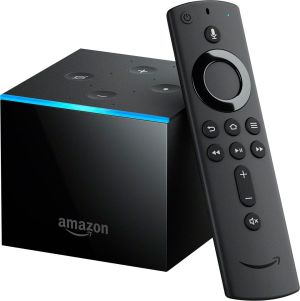
6. Amazon Fire TV Cube
| Resolution: 4K UHD Dolby Vision, HDR, and HDR10+ |
| Storage: 16GB RAM: 2GB |
| Audio decoder: Dolby Atmos |
The Fire TV Cube can be considered a premium alternative to devices such as the Google TV Streamer and Apple TV 4K. It combines a high-performance streaming device with a built-in Alexa smart speaker, allowing for hands-free voice commands and smart home control. But considering how useless Alexa is right now, you may not get much practical benefit from it.
Secondly, I’ve included it on this list primarily for users who already enjoy the Fire TV OS experience and are comfortable with Amazon’s interface, navigation, and content recommendations.




Leave a Reply