
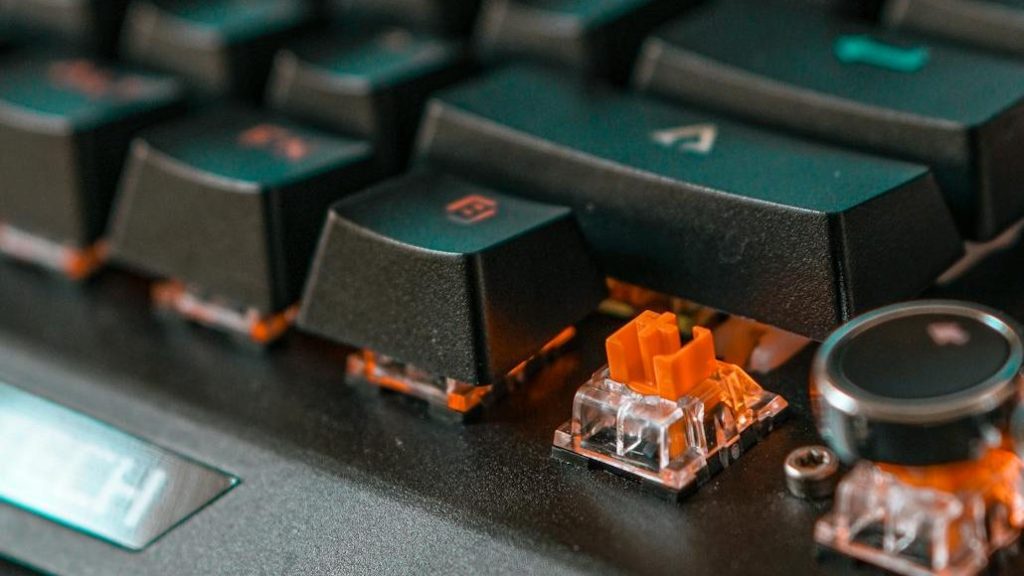
When buying a keyboard, most people focus on size, design, or even RGB lighting—but the switches underneath each key are what truly define how a keyboard feels and sounds.
Keyboard switches determine how a key feels when you press it, how much noise it makes, and even how responsive it is during gaming or typing. Whether you prefer a smooth and quiet press or a tactile, clicky feel, choosing the right switch can make a significant difference in your overall experience.
In this guide, we’ll break down the different types of keyboard switches and help you understand which one is best suited for your needs.
Also check out;
Understanding what a Switch is?
Before diving into the different types of keyboard switches, it’s important to understand what I mean by a Keyboard Switch. A keyboard switch is simply the mechanism located underneath each keycap that registers your keystroke when you press a key. It’s responsible for how a key feels, how much force is required to press it, and the sound it produces.
Every time you type, the switch moves downward, activates at a certain point, and sends a signal to your computer. Different switch designs can make this action feel smooth, bumpy, or clicky—resulting in very different typing experiences.
Why Keyboard Switches Matter?
- Typing Feel: Switches determine whether a key feels smooth, bumpy, or clicky when pressed.
- Comfort: The right switch can reduce finger fatigue during long typing or gaming sessions.
- Noise Level: Some switches are quiet and office-friendly, while others are loud and clicky.
- Performance: Certain switches are faster and more responsive, making them better for gaming.
- Accuracy: Tactile feedback can help reduce typing errors by letting you feel when a key is registered.
- Personal Preference: Everyone has a different preference—some prefer smooth presses, while others enjoy tactile or clicky feedback.
Choosing the right switch isn’t just about preference—it can significantly improve your overall typing and gaming experience.
What are the 4 Types of Keyboard Switch Mechanisms?
In both consumer and professional markets, you’ll typically come across four main types of keyboard switches: Mechanical, Membrane, Scissor-switch, and Optical (or Hall-effect).
Each type uses a different mechanism beneath the keycap, which directly affects how a keypress is registered and how the keyboard feels during use.
- Mechanical keyboards use individual mechanical switches for each key, making them a popular choice among typists and gamers for their tactile feedback and durability.
- Membrane keyboards rely on rubber or silicone domes that press two conductive layers together. These are commonly found in budget keyboards and many laptops.
- Scissor-switch keyboards are a refined version of membrane designs, typically used in laptops. They offer shorter key travel and more stable keycaps.
- Optical or Hall-effect keyboards use light or magnetic sensors for actuation, enabling extremely high durability and, in some cases, analog/adjustable actuation.
1. The 3 Main Mechanical Switch Types
Mechanical keyboard switches are generally divided into three main categories based on how they feel and sound when pressed. These are linear, tactile, and clicky switches.
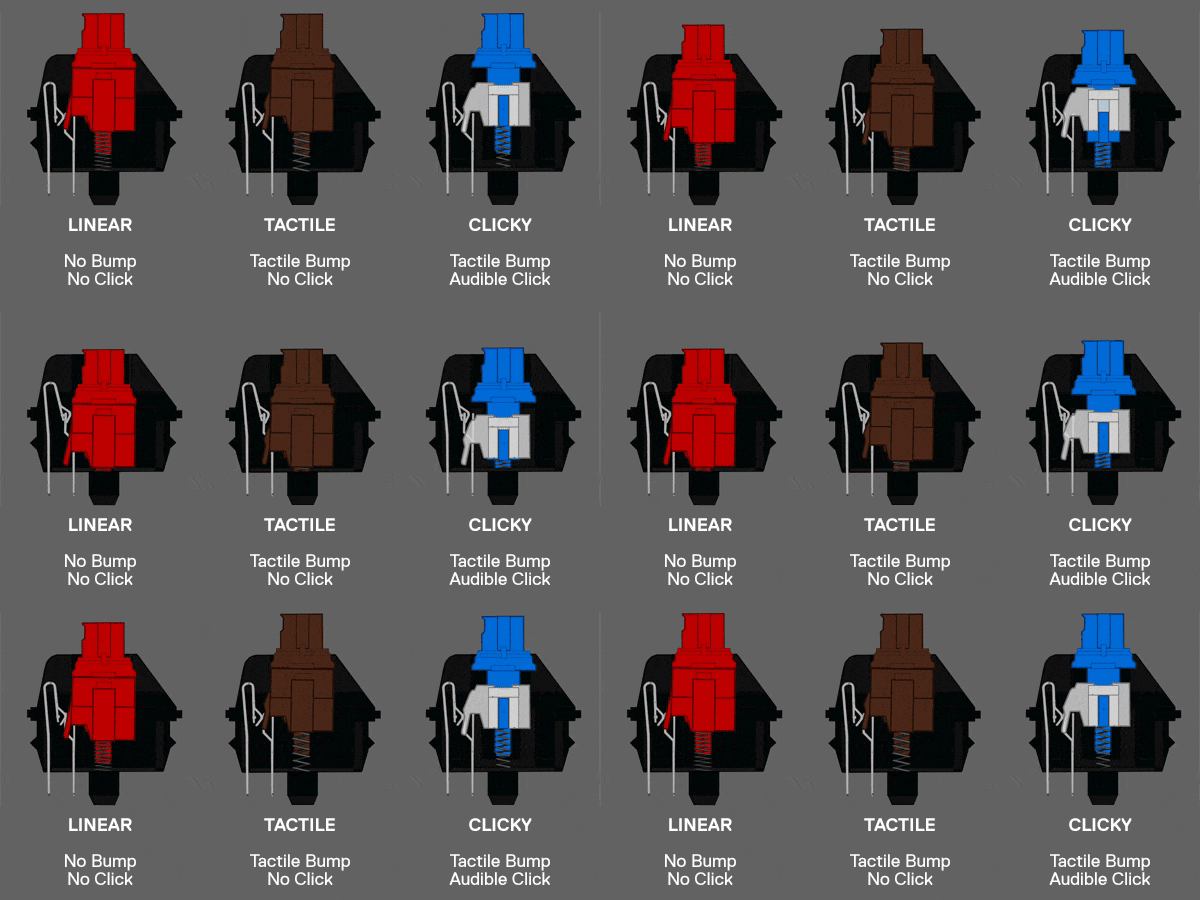
Each type offers a different typing experience—some are smooth and quiet, while others provide noticeable feedback or audible clicks. Understanding these three categories is essential, as they form the foundation of most mechanical keyboards available today.
- Linear switches focus on smooth and consistent key presses.
- Tactile switches provide a noticeable bump for feedback.
- Clicky switches combine tactile feedback with an audible click.
Let’s take a closer look at each type and what makes them different.
A. Linear Switches (Smooth & Fast)
Linear switches provide a smooth and consistent keystroke from top to bottom, without any tactile bump or audible click. This makes them feel effortless and fast, especially during rapid key presses.
Because of their simple and uninterrupted motion, linear switches are often preferred by gamers who need quick and repeated inputs. They are also relatively quiet compared to clicky switches, though not completely silent.
- Common examples: Cherry MX Red, Gateron Red
- Best for: Gaming, Fast typing, Users who prefer a smooth and uninterrupted feel
B. Tactile Switches (Balanced Feel)
Tactile switches feature a noticeable bump when the key is pressed, letting you feel exactly when the keystroke is registered. This feedback can improve typing accuracy and make the keyboard feel more responsive.
They strike a balance between smoothness and feedback, making them a popular choice for both work and casual gaming. Unlike clicky switches, they do not produce a loud clicking sound.
- Common examples: Cherry MX Brown, Gateron Brown, Kailh Brown
- Best for: Office use, Writers/students, People who want feedback without much noise
C. Clicky Switches (Loud & Clicky)
Clicky switches combine a tactile bump with a distinct audible click, making each key press both feel and sound very noticeable. This creates a satisfying typing experience for users who enjoy strong feedback.
However, the loud clicking noise can be distracting in shared environments, so they are better suited for personal setups rather than offices.
- Common examples: Cherry MX Blue
- Best for: Typing enthusiasts, Home use, Users who enjoy audible and tactile feedback
Ok, so now you’ve received a brief intro to the three main types of mechanical keyboard switches. Now let’s directly compare them, head to head to head.
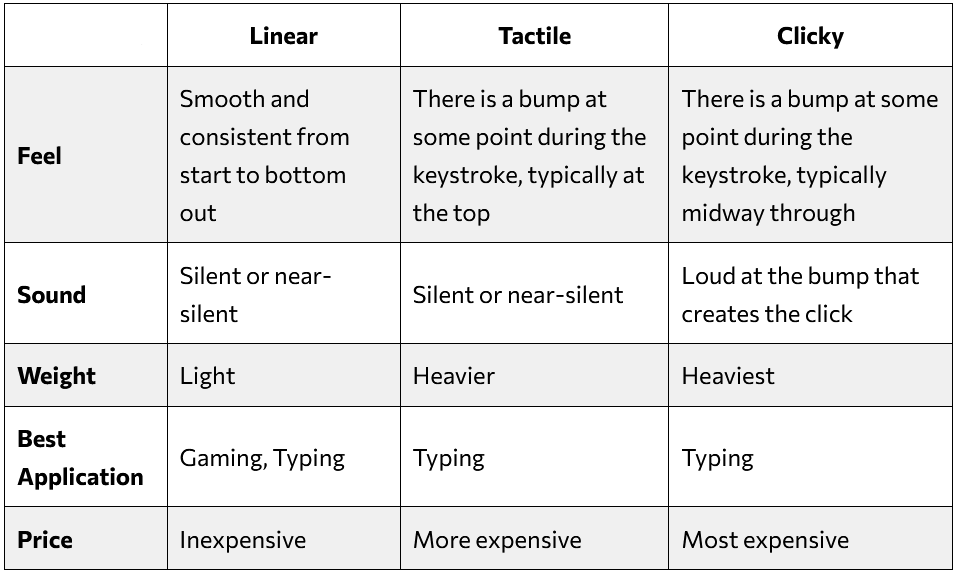
If you’re new to mechanical keyboards, understanding switch color types is just as important. Thankfully, Keychron has put together a useful guide to help you out.
2. Membrane Switches
Membrane switches are one of the most common types of keyboard switches, especially in budget and office keyboards. Instead of individual mechanical components, they use a rubber dome layer beneath the keys to register a press.
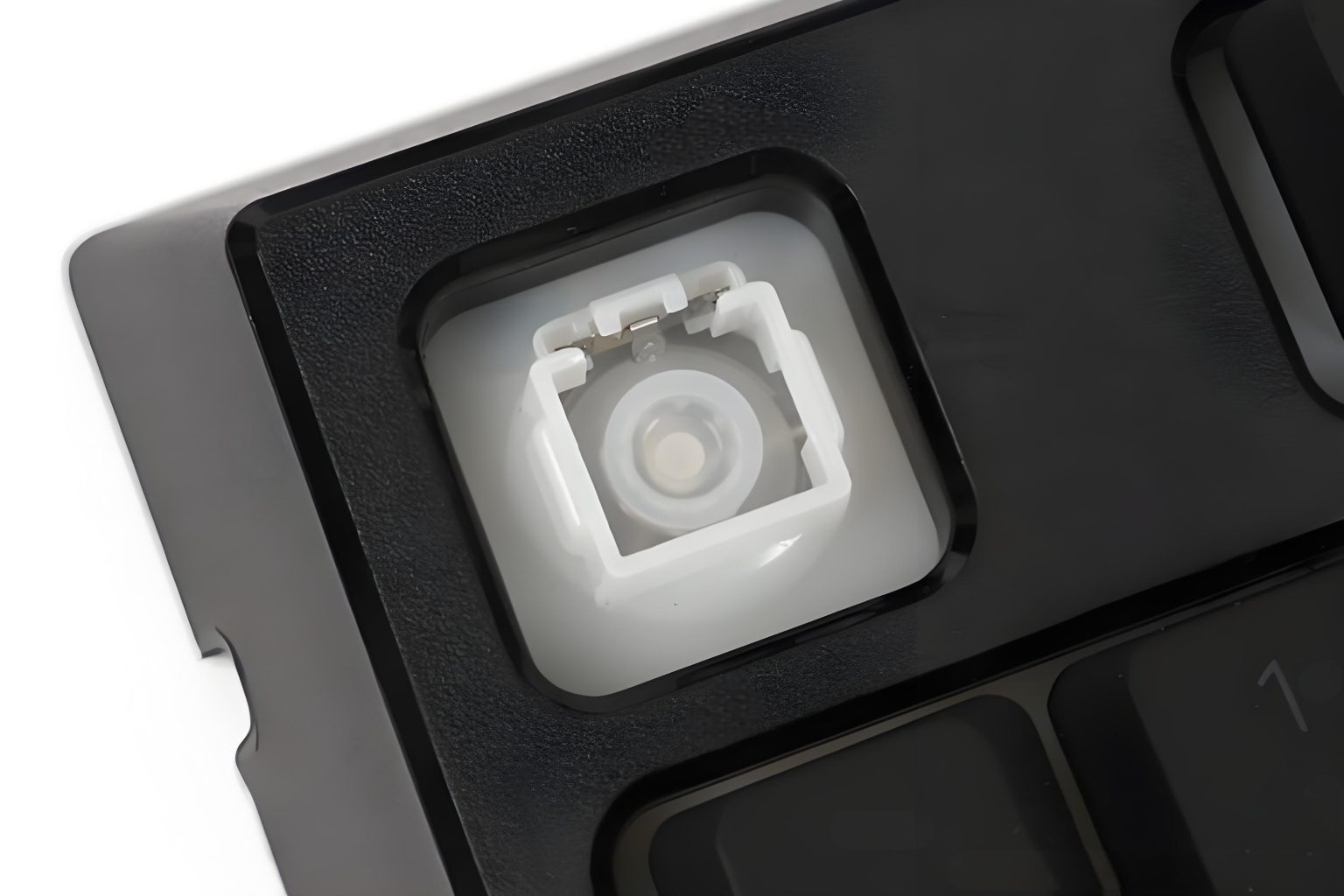
When a key is pressed, the rubber dome collapses and completes an electrical circuit, sending the input to the computer. This design makes membrane keyboards quieter and more affordable, but they typically lack the precise feedback of mechanical switches.
- Pros: Budget-friendly, thinner, more resistant to dust/spills, quieter
- Cons: Shorter lifespan, can have a mushy and less responsive feel
- Best for: Office use, Casual users, Budget setups
3. Scissor Switches
Scissor switches are commonly found in most laptops and low-profile keyboards. They use a scissor-like mechanism under each key to stabilize the keycap and provide a shorter, more precise key press compared to traditional membrane keyboards.
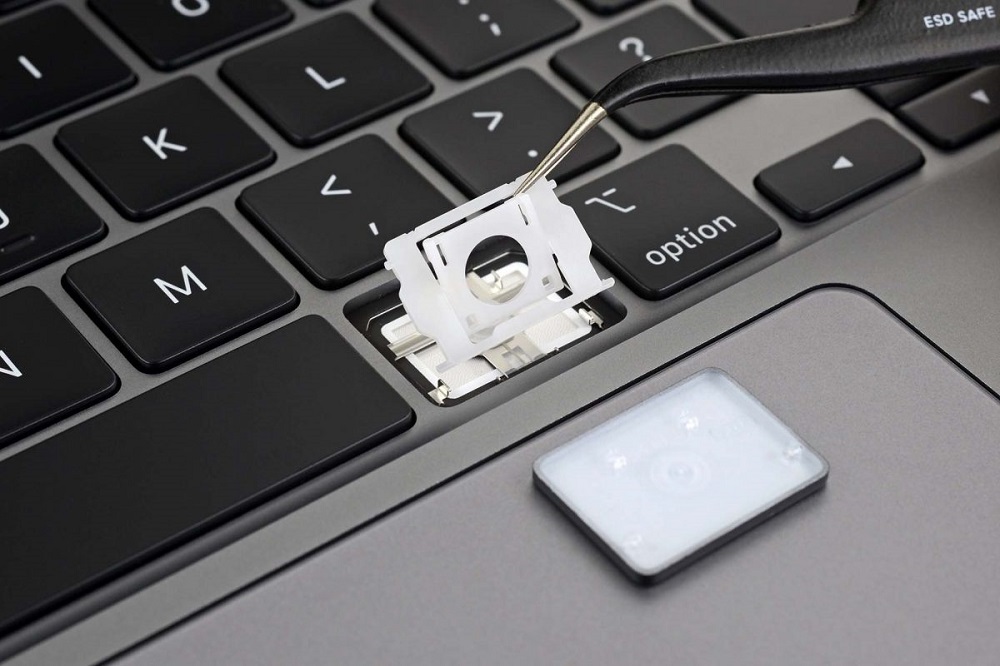
While they still rely on a rubber dome underneath, the added scissor structure improves stability, responsiveness, and overall typing feel. This results in a more refined experience than standard membrane keyboards.
- Pros: Quieter, more stable and responsive than membrane
- Cons: Short lifespan (but better than membrane), limited tactility
- Best for: Office use, Casual users, Fast typing
4. Optical or Hall-effect Switches
Optical switches use light-based actuation instead of traditional metal contact to register a key press. While Hall effect switches use magnetic sensors to detect key presses. This allows for faster response times and reduces physical wear over time.
They are mostly found in gaming keyboards and are often marketed for speed and durability.
- Pros: Fast and precise, highly durable, wide array of options and styles
- Cons: Very expensive, locked under 1 brand for key cap replacement and switches
- Best for: Competitive gaming, Users who want faster response times
So, which switch should you get?
Ultimately, the choice comes down to personal preference. However, if you’re gaming at a highly competitive level, lighter linear switches—or more advanced options like optical or Hall-effect switches—can give you a slight edge due to faster actuation.
For most users who game casually while also working or browsing, any switch type that feels comfortable to you will work just fine.
If your primary use is casual, home, or office work, a scissor-switch keyboard is often a great choice thanks to its affordability, low profile, and quiet operation.
It’s also worth mentioning that if you’re unsure which switch you’ll prefer (when it comes to a mechanical keyboard), you can opt for a hot-swap keyboard. These allow you to easily change switches without replacing the entire keyboard, making it much easier to experiment and find what suits you best.



Leave a Reply