
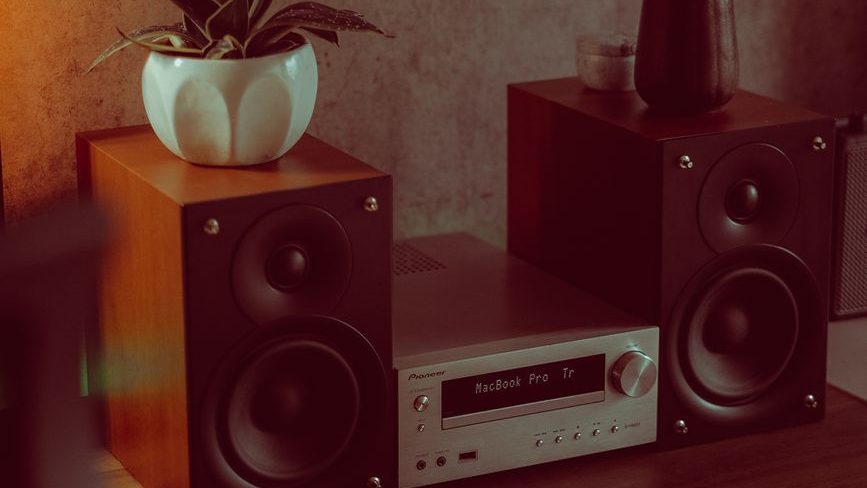
If your Bluetooth soundbar or music system doesn’t support Google Cast (Chromecast) or Apple AirPlay, you don’t necessarily have to replace it. With the right streaming device, you can add these features in just a few minutes and enjoy wireless audio streaming from your smartphone, tablet, or computer over Wi-Fi.
In this guide, I’ll explain how to add Google Cast or Apple AirPlay to almost any Bluetooth speaker, soundbar, or home audio system using affordable streaming devices. We’ll also cover the hardware you’ll need, setup instructions, and the advantages and limitations of each method.
Disclaimer: Every product mentioned in this guide is priced at around ₹20,000 or less. While there are plenty of excellent options above this budget, I’ve kept this guide focused on affordable picks to help you get the best value without overspending.
What is Google Cast (Chromecast)?
Google Cast, commonly known as Chromecast, is a wireless streaming technology developed by Google that lets you play music, videos, and other content from your smartphone, tablet, or computer to a compatible device over a Wi-Fi network.
Unlike Bluetooth, Google Cast doesn’t continuously transmit audio from your phone to the speaker. Instead, your phone acts like a remote control. Once you tap the Cast button in a supported app, the Chromecast-enabled device connects directly to the internet and streams the content on its own. This means you can continue using your phone for other tasks without interrupting playback.
Google Cast is supported by many popular apps, including Spotify, YouTube Music, YouTube, Netflix, Amazon Music, Plex, and many others. As long as your phone and the casting device are connected to the same Wi-Fi network, you can start streaming with just a few taps.
Key Benefits of Google Cast:
- Better audio quality than standard Bluetooth, as streaming is done over Wi-Fi.
- Longer wireless range, limited mainly by your Wi-Fi coverage rather than Bluetooth’s range.
- Lower battery usage since your phone isn’t constantly transmitting audio.
- No interruptions from calls, notifications, or other apps because the streaming device plays the content directly.
- Multi-room audio support, allowing you to play synchronized music across multiple compatible speakers.
Note: Although many people still use the term “Chromecast,” Google now officially refers to the technology as Google Cast. Chromecast was originally the name of Google’s streaming hardware, while Google Cast is the built-in casting technology found in compatible TVs, speakers, and streaming devices. Since “Chromecast” remains a widely recognized term, both names are often used interchangeably.
What is Apple AirPlay?
Apple AirPlay is a wireless streaming technology developed by Apple that allows you to stream music, videos, photos, and other content from your iPhone, iPad, or Mac to compatible speakers, TVs, and audio systems over a Wi-Fi network.
Like Google Cast, AirPlay doesn’t rely on Bluetooth for streaming. Instead, it uses your Wi-Fi network to deliver higher-quality audio with greater range and stability. This makes it an excellent choice for listening to music throughout your home without the limitations of Bluetooth.
Key Benefits of Apple AirPlay:
- Higher-quality audio than Bluetooth by streaming over Wi-Fi.
- Longer wireless range, limited mainly by your Wi-Fi coverage.
- Easy integration with the Apple ecosystem, including iPhone, iPad, Mac, Apple TV, and HomePod.
- Multi-room audio with AirPlay 2-compatible speakers.
- No interruptions from calls, notifications, or other apps because the streaming device plays the content directly.
- Works with many third-party speakers and streaming devices, not just Apple products.
Note: Apple introduced AirPlay 2 as an improved version of the original AirPlay, adding several new features, including multi-room audio, support for multiple users in the Apple Home app, playback controls from Control Center, and deeper Siri integration for voice-controlled music playback.
Why Use Wi-Fi Streaming Instead of Bluetooth?
Bluetooth is convenient for quick, direct connections, but it has several limitations when it comes to audio streaming. Technologies like Google Cast and Apple AirPlay use your home Wi-Fi network instead, providing better sound quality, greater range, and a more seamless listening experience.
If you frequently stream music at home, Wi-Fi streaming is generally a better choice than Bluetooth.
i) Better Audio Quality
Wi-Fi has much higher bandwidth than Bluetooth, allowing audio to be streamed with less compression. Depending on the streaming service and the receiving device, this can result in better sound quality and support for higher-resolution audio formats.
ii) Longer Wireless Range
Bluetooth connections are typically limited to around 10 meters (33 feet), and walls or other obstacles can further reduce the range. Wi-Fi streaming works anywhere your home Wi-Fi network reaches, allowing you to move freely around the house without losing the connection.
iii) Your Phone Becomes a Remote Control
With Google Cast, once you start playback, the streaming device connects directly to the internet and continues playing even if you lock your phone, answer a call, or leave the room. Your phone simply acts as a remote for playback and volume control.
AirPlay also lets you control playback from your Apple device while providing a seamless wireless listening experience.
iv) Lower Battery Consumption
Since your phone isn’t constantly transmitting audio over Bluetooth, Wi-Fi streaming generally uses less battery during long listening sessions. This is especially true with Google Cast, where the streaming device handles the playback after you initiate it.
Note: AirPlay typically uses more battery than Google Cast. This difference comes down to how each protocol fundamentally handles media transmission.
How Google Cast Works: When you cast (e.g., from Apple Music or YouTube Music), your phone acts as a remote. The streaming device pulls the video or audio directly from the internet. Your phone does not encode or send data continuously, meaning it has virtually no impact on battery life and can even be turned off.
How AirPlay Works: AirPlay often streams content directly from your device to the receiver. Your phone continuously encodes, streams, and transmits audio/video data over your local Wi-Fi, which requires heavy processing power and significantly drains your battery.
v) Multi-Room Audio
Both Google Cast and AirPlay 2 support multi-room audio, allowing you to play synchronized music on multiple compatible speakers throughout your home. This feature isn’t available with standard Bluetooth connections.
Bring Google Cast or AirPlay to Your Existing Speakers
If your soundbar, stereo receiver, or music system only supports Bluetooth or wired audio, you can add Google Cast and/or Apple AirPlay functionality using a compatible streaming device. These devices connect to your audio system through a 3.5 mm AUX, RCA, optical, or HDMI connection (depending on the device), allowing you to stream music over Wi-Fi from compatible apps.
1. WiiM Music Streamers
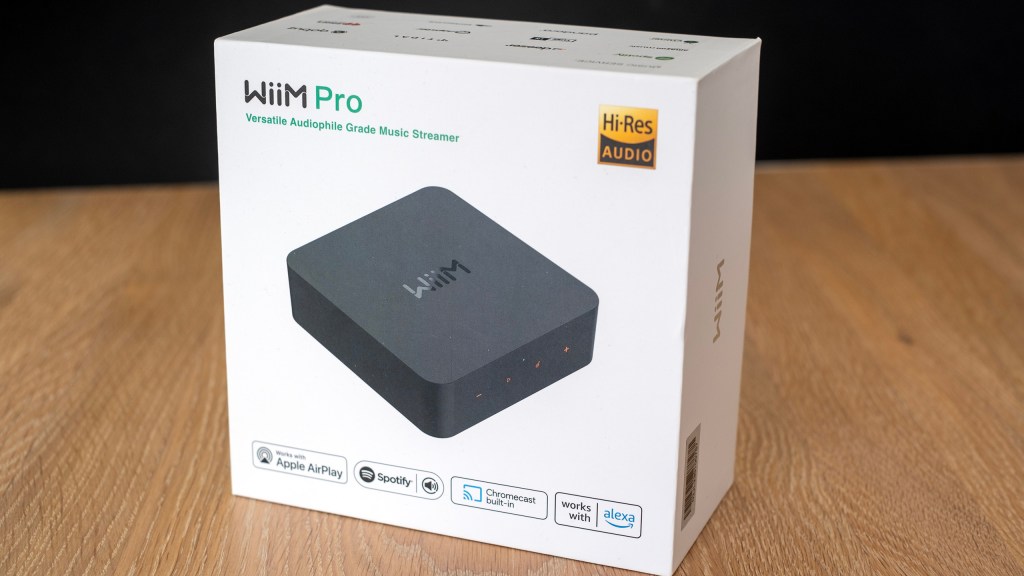
i. WiiM Pro
| BT Version | 5.1 |
| Audio Output | Line Out, Optical, Coax, Bluetooth |
The WiiM Pro is one of the best music streamers in its price range, typically retailing for around ₹20,000. It offers a wide range of connectivity options, making it an excellent choice for upgrading an existing soundbar, stereo system, or AV receiver with modern wireless streaming capabilities.
On the output side, the WiiM Pro includes RCA line-out, optical (S/PDIF), and coaxial digital outputs, allowing it to connect to a variety of audio systems. It also supports Bluetooth audio output, giving you the flexibility to stream wirelessly to other Bluetooth speakers or headphones if needed.
The device also features a built-in DAC and offers RCA line-in and optical (S/PDIF) input ports. This allows you to connect external audio sources such as a TV, CD player, turntable (with a phono preamp), media player, or other audio devices, and route the audio through your existing soundbar, stereo system, or AV receiver.
For networking, the WiiM Pro supports dual-band Wi-Fi (2.4 GHz and 5 GHz) and includes a 100 Mbps Ethernet port for a stable wired connection.
In terms of streaming support, the WiiM Pro is compatible with virtually every major audio streaming protocol, including:
- Apple AirPlay 2
- Google Cast Audio (Chromecast built-in)
- DLNA
- Spotify Connect
- TIDAL Connect
- Amazon Music Casting
- QPlay 2.0
- Roon Ready
It also integrates seamlessly with popular voice assistants, including Amazon Alexa, Google Assistant (or Google Gemini through Cast-enabled devices), and Apple Siri via AirPlay 2, making it an excellent addition to almost any smart home ecosystem.
If your Wi-Fi network is temporarily unavailable, the WiiM Pro can also function as a Bluetooth receiver, allowing you to stream music directly from your smartphone or tablet without relying on a wireless network.
Why choose the WiiM Pro?
If you want a streaming adapter that supports both Google Cast and Apple AirPlay 2, offers extensive wired connectivity, and integrates with nearly every major music streaming service, the WiiM Pro is one of the most versatile options currently available. It’s particularly well-suited for users with Hi-Fi systems, AV receivers, or premium soundbars looking to add modern wireless streaming features.
ii. WiiM Pro Plus
| BT Version | 5.1 |
| Audio Output | Line Out, Optical, Coax, Bluetooth |
The WiiM Pro Plus builds upon the WiiM Pro by offering several hardware upgrades aimed at improving audio quality. While the overall design, connectivity options, and streaming features remain the same, the Pro Plus is designed for users who want the best possible analog audio performance.
Its biggest upgrade is a higher-quality DAC (Digital-to-Analog Converter), which delivers cleaner and more detailed audio through the RCA line-out. It also features an improved analog-to-digital converter (ADC) for the line-in input, resulting in better audio quality when connecting external sources such as a TV, CD player, or turntable (with a phono preamp).
In addition to the hardware improvements, the WiiM Pro Plus includes a WiiM Voice Remote and a premium RCA cable in the box, accessories that are sold separately with the standard WiiM Pro.
The WiiM Pro Plus typically costs above ₹20,000, making it a more expensive option. However, if you’re shopping in the used or refurbished market, you can occasionally find one for under ₹20,000, making it an excellent value for users seeking improved analog audio quality.
Why choose the WiiM Pro Plus?
The WiiM Pro Plus is ideal for anyone who already owns a high-quality soundbar, stereo system, powered speakers, or AV receiver and doesn’t want to replace perfectly good equipment simply because it lacks modern wireless streaming features. The upgraded DAC also makes it an excellent choice for users who rely on the analog RCA outputs and want the best possible audio performance.
iii. WiiM Mini
| BT Version | 5.2 |
| Audio Output | 3.5mm Aux, Optical, Bluetooth |
The WiiM Mini is one of the most affordable ways to add Apple AirPlay 2 and other popular streaming technologies to an existing soundbar, stereo system, powered speakers, or AV receiver.
Despite its compact size, it supports a wide range of streaming protocols, including Apple AirPlay 2, Spotify Connect, TIDAL Connect, Amazon Music Casting, and DLNA. It also features both 3.5 mm AUX and optical (S/PDIF) outputs, making it easy to connect to almost any home audio system.
In addition to its audio outputs, the WiiM Mini includes a 3.5 mm line-in port, allowing you to connect external audio sources such as a TV, CD player, or other audio devices, and route the audio through your existing soundbar, stereo system, or AV receiver.
Priced at around ₹11,000, the WiiM Mini offers an excellent balance of affordability, features, and sound quality, making it an ideal choice for users in the Apple ecosystem.
Like the WiiM Pro and WiiM Pro Plus, it also supports 2-way Bluetooth and integrates with Siri and Alexa for convenient voice control. However, unlike its more expensive siblings, the WiiM Mini does not support Google Cast (Chromecast). This is its biggest limitation and makes it a less appealing option for Android users who frequently use Chromecast-enabled apps for music streaming.
Why choose the WiiM Mini?
If you’re invested in the Apple ecosystem and looking for an affordable way to add Apple AirPlay 2 to your existing sound system, the WiiM Mini is one of the best value-for-money options available. However, if Google Cast support is a priority, the WiiM Pro or WiiM Pro Plus will be a better fit.
2. Google Smart Speakers
If you’re looking for the most affordable way to add Google Cast (Chromecast) support to an existing Bluetooth speaker or audio system, a used or refurbished Google Nest Speaker, especially the Nest Mini, can be a surprisingly good option. The main limitation is that Google Nest speakers don’t include a 3.5 mm AUX or digital audio output, so Bluetooth is the only way to connect them to an external sound system.
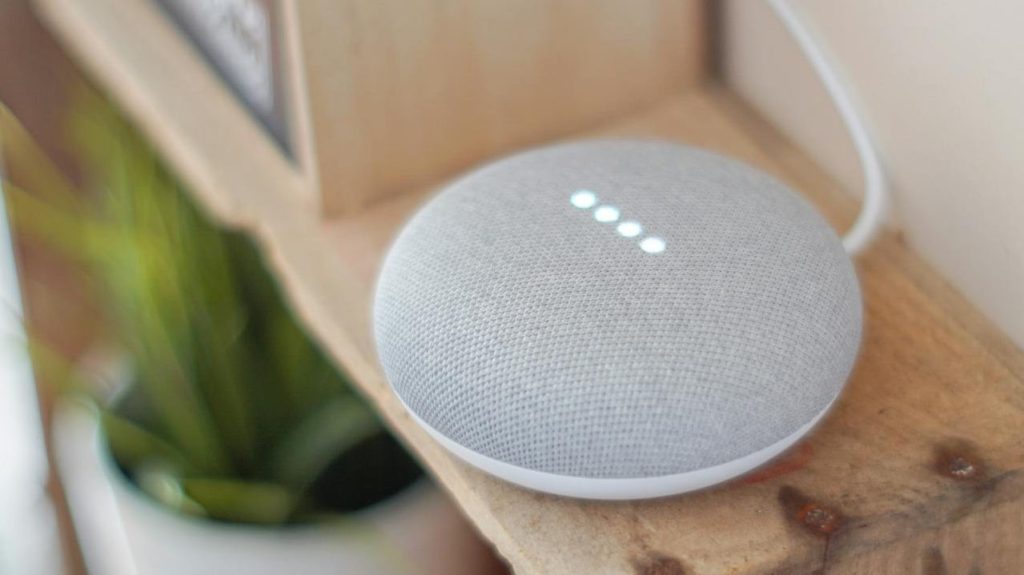
i. Google Nest Mini
| BT Version | 5.0 |
| Audio Output | Only Bluetooth |
After pairing your Bluetooth speaker or Bluetooth receiver with the Nest Mini, you can open the Google Home app and set the paired Bluetooth device as the Nest Mini’s default audio output. Once configured, you can cast music from your phone to the Nest Mini, which will then forward the audio to your existing soundbar, speaker, or AV receiver over Bluetooth.
This is a simple and inexpensive way to add Google Cast functionality without purchasing a dedicated music streamer.
The biggest drawback is that the final audio connection still uses Bluetooth. While you’re streaming to the Nest Mini over Wi-Fi using Google Cast, the Nest Mini forwards the audio to your sound system via Bluetooth. As a result, you won’t enjoy the higher audio quality or lossless transmission that dedicated streamers like the WiiM Pro can provide through wired analog or digital outputs.
In other words, the sound quality will be similar to connecting your phone directly to the Bluetooth speaker or soundbar.
Why choose a Google Nest Speaker?
A Google Nest Speaker is a great budget-friendly choice if you can find one for under ₹5,000 (around $50) and simply want to add Google Cast support to an existing Bluetooth speaker or soundbar. However, if audio quality is your priority, a dedicated music streamer like the WiiM Pro is a much better long-term investment thanks to their wired audio outputs and support for higher-quality playback.
3. Google Smart Displays
A used or refurbished Google Nest Hub, Nest Hub (2nd Gen) or Nest Hub Max can also be used to add Google Cast support to an existing Bluetooth soundbar or music system. The setup process is identical to Google Nest speakers—you pair your Bluetooth speaker or receiver with the Nest Hub, then set it as the default audio output in the Google Home app.
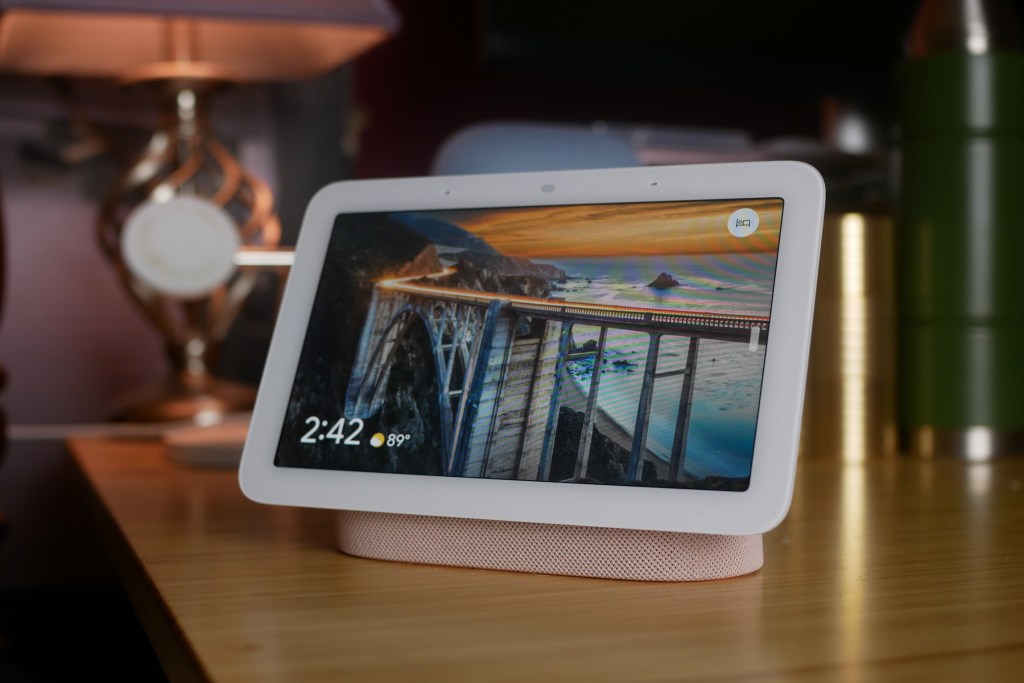
i. Google Nest Hub
| BT Version | 5.0 |
| Audio Output | Only Bluetooth |
Once configured, you can cast music from your phone to the Nest Hub, which will forward the audio to your home audio system over Bluetooth.
The main advantage of a Nest Hub over a Nest Mini is its built-in touchscreen display. You can use it to view album artwork, control smart home devices, check the weather, watch YouTube videos, display Google Photos, and access other Google Assistant or Gemini features.
However, if your primary goal is simply to stream music to an existing audio system, the display doesn’t add much value. For that reason, it’s worth considering only if you can find a used or refurbished Nest Hub device for around ₹6,000 (approximately $60–70). Paying significantly more makes it harder to justify compared to dedicated music streamers that offer better audio connectivity.
And like Google’s smart speakers, Nest Hub devices do not include a 3.5 mm AUX or digital audio output. The only way to connect them to an external sound system is via Bluetooth, which means you’ll face the same limitations.
Why choose a Google Nest Hub?
If you can find a used or refurbished Nest Hub device at a good price, it can be an affordable way to add Google Cast functionality while also gaining a smart display for everyday use. However, if you’re only interested in streaming music to your existing sound system, a Nest Mini offers the same casting experience for less money, while a dedicated music streamer remains the better choice for superior audio quality.
4. Streaming Boxes Running Android TV or Google TV
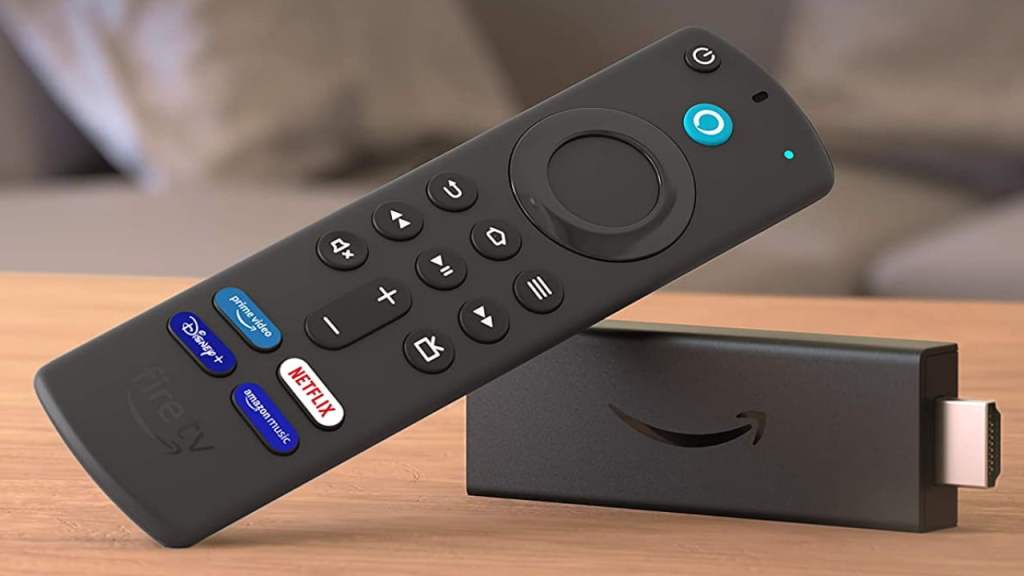
If you already own a streaming box running the official Android TV or Google TV operating system—such as the Mi Box 4K (Mi Box S), or similar devices—you may already have everything you need to add Google Cast support to your existing soundbar or music system.
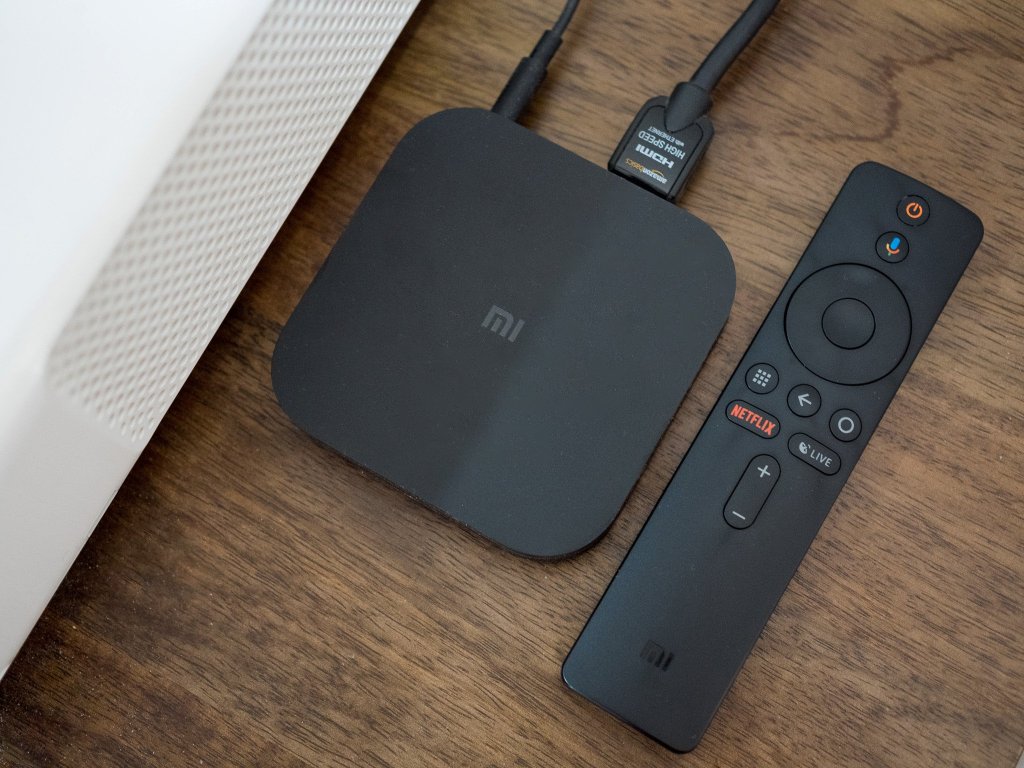
While these devices aren’t designed specifically as music streamers, they all come with Chromecast built-in, allowing you to cast music from compatible apps directly over your Wi-Fi network. If you can connect the streaming box to your audio system without relying on Bluetooth, it can serve as a surprisingly capable and cost-effective audio streamer.
There are three practical ways to output audio from these devices.
i. Using the Built-In AUX Port
Some older Android TV streaming boxes, such as the original Mi Box 4K (Mi Box S), include a 3.5 mm AUX output. This can be connected directly to your soundbar, stereo system, powered speakers, or AV receiver.
Since the connection is wired, you’ll enjoy significantly better audio quality than Bluetooth, with no wireless compression or pairing issues.
Another advantage is that these devices are powered independently, so your TV doesn’t need to be turned on. Simply power on the streaming box with its remote, and it will appear as a Google Cast device on your network.
ii. Using a USB Hub with Audio Output
Most newer streaming boxes, such as the Xiaomi Box S 3rd Gen, and Google TV Streamer 4K don’t include a dedicated AUX port. However, some models support USB passthrough through their USB-C power port using a compatible USB hub with Power Delivery (PD).
These hubs can provide additional ports, including a 3.5 mm audio output, allowing you to connect the streaming box to your existing audio system while simultaneously powering the device.
This can be a practical workaround if you already own a compatible USB hub. However, purchasing a hub solely to add Google Cast functionality may not be cost-effective, as the combined cost can approach that of a dedicated music streamer. And not every streaming device supports USB passthrough.
You may also come across suggestions to use an HDMI audio splitter (often called an HDMI audio extractor) to route sound directly to your music system. I haven’t been able to verify whether this is a practical solution or if it compromises audio quality, so I can’t personally recommend it. Still, it’s worth mentioning as another option you may want to explore.
iii. Using Bluetooth Audio Output
Streaming boxes running Android TV and Google TV devices also support Bluetooth audio output, allowing you to pair them with a Bluetooth soundbar, speaker, or AV receiver.
However, since the final audio connection is still Bluetooth, the sound quality will be comparable to streaming directly from your phone over Bluetooth. As a result, you won’t benefit from many of the audio quality advantages that Wi-Fi music streaming would otherwise provide.
Why choose an Android TV or Google TV streaming box?
If you already own one, repurposing it as a music streamer is an inexpensive way to add Google Cast to your existing audio system. It’s particularly worthwhile if the device has a 3.5 mm AUX output or supports a USB audio hub, as these provide higher-quality wired audio. However, if you need to purchase new hardware specifically for music streaming, a dedicated device like the WiiM Pro is usually the better long-term investment thanks to its simpler setup, richer audio features, and purpose-built design.
Frequently Asked Questions (FAQs)
Can I add Google Cast or Apple AirPlay to any Bluetooth speaker or soundbar?
In most cases, yes. As long as your speaker, soundbar, stereo system, or AV receiver has an available audio input—such as 3.5 mm AUX, RCA, or optical (S/PDIF).
Can One Device Support Both Google Cast and AirPlay?
Yes. Several modern music streamers support both technologies. Devices such as the WiiM Pro and WiiM Pro Plus include support for Google Cast (Chromecast) and Apple AirPlay 2, making them ideal for households with both Android and Apple devices.
However, not every streamer supports both platforms. For example, the WiiM Mini supports AirPlay 2 but does not support Google Cast.
Is Google Cast & Apple AirPlay better than Bluetooth?
For most home audio setups, yes. Google Cast & Apple AirPlay uses your home Wi-Fi network to stream audio, providing better range and, in many cases, higher audio quality than Bluetooth.
Bluetooth remains the better choice for when a Wi-Fi network isn’t available.
Do I need an internet connection to use Google Cast or AirPlay?
Both Google Cast and Apple AirPlay require an active internet connection for playback.
Will Google Cast or AirPlay improve my sound quality?
It depends on your setup. If you’re currently using Bluetooth, switching to a Wi-Fi-based streamer with a wired analog or digital connection to your sound system can improve audio quality by avoiding Bluetooth compression.
However, if your streaming device ultimately sends audio to your speaker over Bluetooth (as is the case with a Google Nest Mini paired to a Bluetooth speaker), the audio will still be compressed and won’t offer a noticeable improvement.
Can I cast music from Spotify, YouTube Music, or Apple Music?
Yes. Most streaming devices support popular music services, although compatibility varies by device. Depending on the model, you may be able to stream using:
- Google Cast (Chromecast)
- Apple AirPlay 2
- Spotify Connect
- TIDAL Connect
- Amazon Music Casting
- DLNA
Always check the supported streaming protocols before purchasing a device.
Which device is best for most people?
It depends on the ecosystem you use:
- Primarily Apple devices: The WiiM Mini is an excellent budget-friendly choice.
- Android and Apple devices: The WiiM Pro or WiiM Pro Plus are better options thanks to their support for both Google Cast and Apple AirPlay 2.
- Lowest-cost Google Cast solution: A used Google Nest Mini can be a great budget option if you’re okay with Bluetooth audio output.
- Already own an Android TV or Google TV box: Repurposing it as a music streamer can be a cost-effective solution, especially if it offers a wired audio output.
Final Thoughts
Adding Google Cast (Chromecast) or Apple AirPlay to your existing Bluetooth soundbar, stereo system, or music system is often far more cost-effective than replacing it with a new smart speaker. With the right streaming device, you can enjoy the convenience of Wi-Fi audio streaming while continuing to use the equipment you already own.
If you’re primarily an Apple user, the WiiM Mini offers an affordable way to add AirPlay 2 and several other popular streaming services. If you want support for both Google Cast and Apple AirPlay, the WiiM Pro and WiiM Pro Plus are among the most versatile options available, thanks to their extensive connectivity and support for multiple streaming protocols.
For those on a tighter budget, a used Google Nest Mini or Nest Hub can be an inexpensive way to add Google Cast functionality, although you’ll be limited to Bluetooth audio output. Similarly, if you already own an Android TV or Google TV streaming box, repurposing it as a music streamer can be a practical and cost-effective solution.
Ultimately, the best choice depends on your existing audio setup, your preferred ecosystem, and your budget. If sound quality is your top priority, choose a streamer that connects to your audio system using a wired analog or digital connection. If affordability and convenience matter more, a Bluetooth-based solution may be all you need.
Whichever option you choose, upgrading your existing sound system with modern wireless streaming features is an easy way to extend its lifespan and enjoy a more convenient listening experience without investing in an entirely new setup.



Leave a Reply