
In my previous guide, I focused on 27″ and 32″ QHD and 4K monitors under ₹30,000. This time, we’re looking at 24-inch and 25-inch options within the same budget — but it’s important to set expectations right.
At this price point, 24″ and 25″ monitors don’t offer the same flexibility. Getting higher resolutions like QHD or 4K while maintaining strong color accuracy (Delta E < 2) is quite rare. As a result, most of the monitors in this price segment are usually Full HD, with only a few offering a QHD display.
That said, 24-inch and 25-inch monitors can still be a practical choice for video editing and graphic design — especially if you prefer a compact setup. Just keep in mind that truly high-end, color-accurate 24″and 25″ displays typically go beyond the ₹30,000 range.
Selection Criteria:
At this price point, you’re not getting everything — so the goal here is to prioritize what actually matters. The following criteria were used while selecting the monitors featured in this list:
- Color Accuracy and Profiles
Monitors included in this list provide dedicated color profile modes and reliable color performance, ideally offering:- 99%-100% sRGB and Rec.709
- Decent DCI-P3 coverage (where available)
- Average Delta E < 2 for accurate color reproduction
- Resolution
Ideally, higher-resolution (QHD/4K) is recommended for editing due to better detail and a larger workspace. However under ₹30K:- Most options are limited to Full HD.
- Higher resolutions often come with compromises in color quality.
- Adobe RGB Coverage
While AdobeRGB is useful for print-focused workflows, I couldn’t find many affordable monitors with strong AdobeRGB coverage, so it wasn’t treated as a strict requirement. - Color Depth
Most monitors in this price range are 8-bit panels, which is perfectly fine for general editing. Some models offer 10-bit (or 8-bit + FRC), providing smoother gradients and less banding, but at this budget, overall color accuracy matters more than color depth alone. - Minimum Brightness
Each monitor included in this guide offers at least 250 nits of brightness.
Also check out;
Based on the above criteria, here are a few of the best 24-inch monitors currently available within the ₹30,000 budget range:
Note:
- Prices mentioned below may change over time.
- If any of the monitors listed are unavailable, consider checking the manufacturer’s official website or authorized retailers for availability.
- The monitors featured in this list are not ranked in any particular order. They are simply recommendations that meet the selection criteria mentioned earlier.
1. BenQ SW240
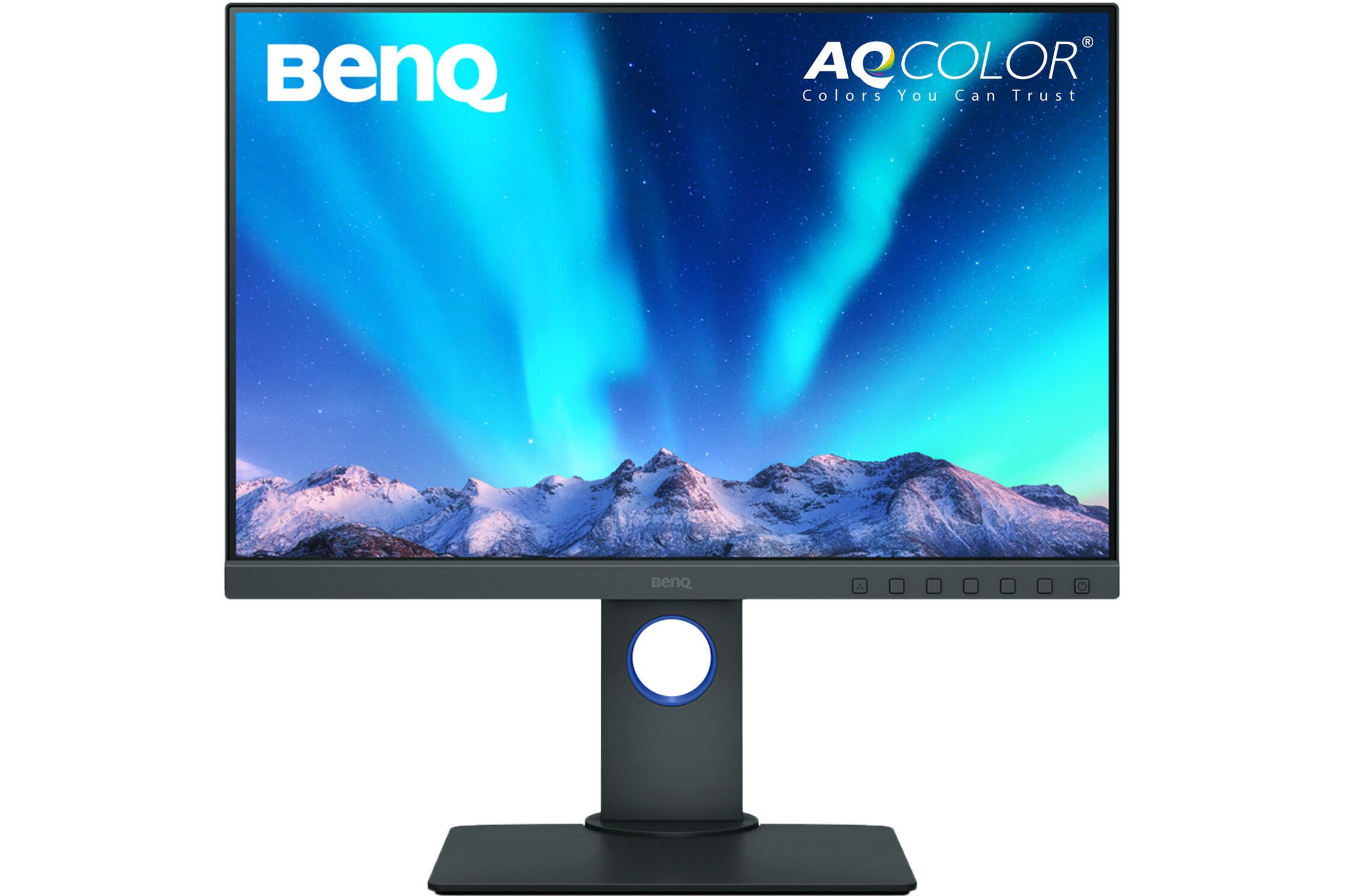
| Resolution: 24.1″ 1920×1200 @ 60Hz | |
| Brightness: 250 nits | Contrast Ratio: 1000:1 |
| Color Coverage: 100% sRGB, 95% P3, 99% Adobe RGB | |
| Connectivity: 1 x HDMI 1.4, 1 x DP 1.2, 1 x DVI-DL Socket, 1 x USB-B (Upstream), 2 x USB-A (USB 3.0, Downstream), 1 x Card Reader | |
| Warranty: 3 Years | |
Some monitors that I considered but did not include are:
- Dell UltraSharp U2424HE
- Dell UltraSharp U2424H
- Lenovo ThinkVision P24Q-40
- ASUS ProArt Display PA247CV
A few 24-inch and 25-inch monitors initially seemed promising on paper and were briefly considered for this list. However, I couldn’t find reliable confirmation that they use true 8-bit panels—some sources even suggested they might be 6-bit + FRC. Rather than making assumptions, I chose to exclude them from the final recommendations.
2. BenQ PD2500Q
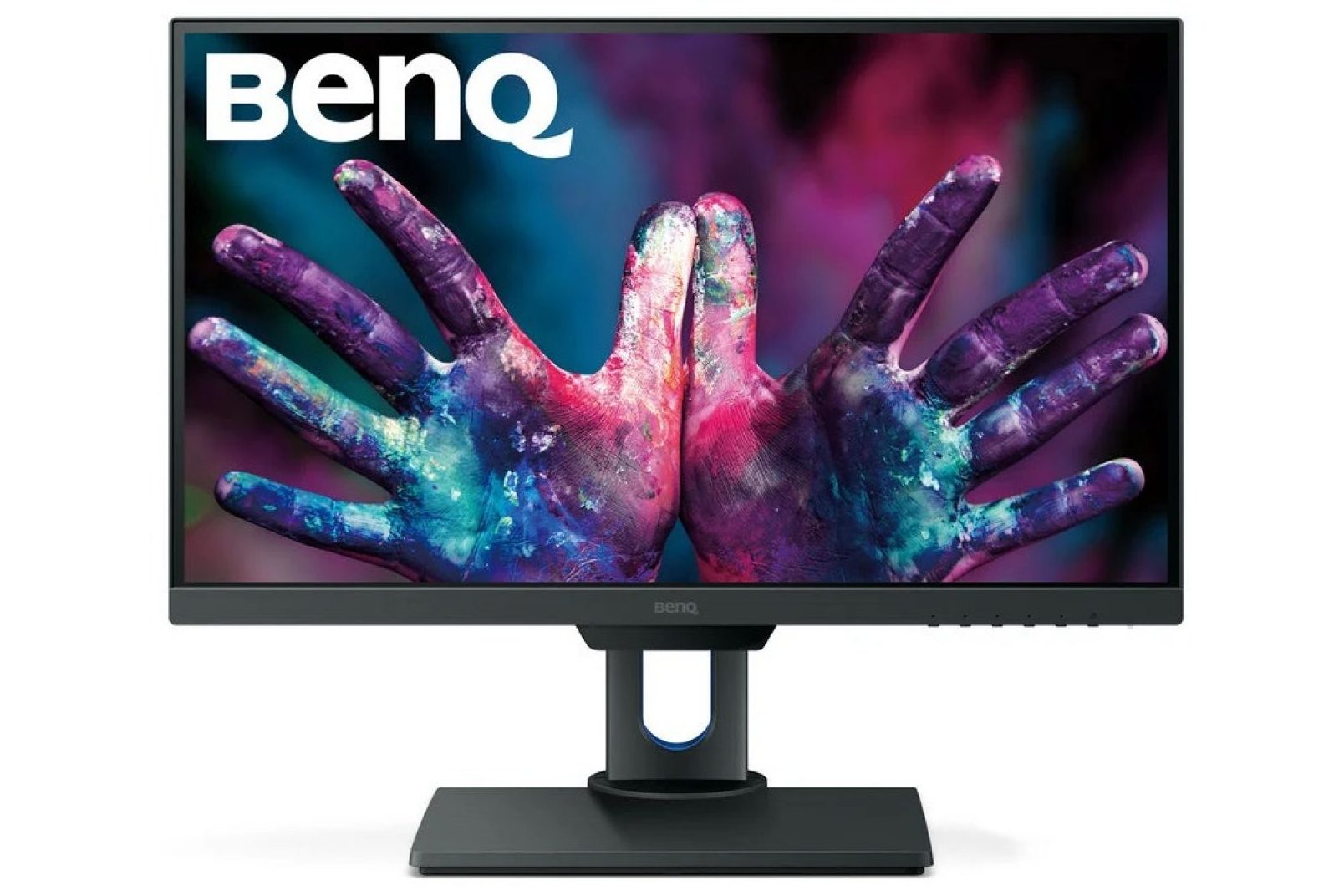
| Resolution: 25″ 2560×1440 @ 60Hz | |
| Brightness: 350 nits | Contrast Ratio: 1000:1 |
| Color Coverage: 100% sRGB, 100% Rec. 709 | |
| Connectivity: 1 x HDMI 1.4, 1 x DP 1.2, 1 x Mini DP 1.2, 1 x DP 1.2 Out (with MST), 1 x USB-A (USB 3.1, Upstream), 3 x USB-A (USB 3.1, Downstream) | |
| Warranty: 3 Years | |
3. BenQ PD2506Q
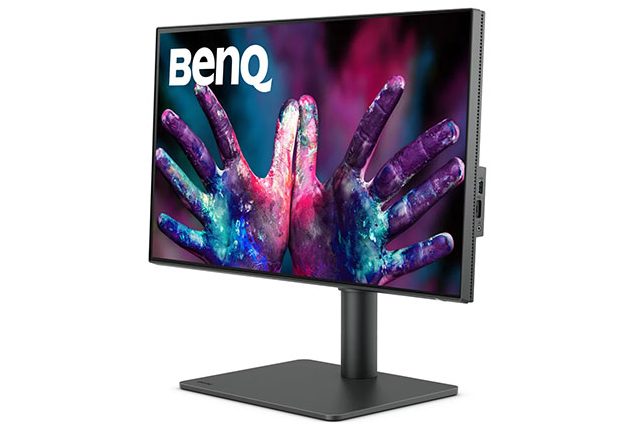
| Resolution: 25″ 2560×1440 @ 60Hz | |
| Brightness: 350 nits | Contrast Ratio: 1000:1 |
| Color Coverage: 100% sRGB, 100% Rec.709, 95% P3 | |
| Connectivity: 1 x HDMI 2.0, 1 x DisplayPort 1.4 Out (with MST), 1 x DisplayPort 1.4, 1 x USB Type-C (downstream), 1 x USB 3.2 Type-C (65W PD, DP Alt Mode, upstream), 1 x USB 3.2 Type-B (upstream), 3 x USB 3.2 Type-A (downstream) | |
| Warranty: 3 Years | |
Final Thoughts
At this price point, finding a truly well-rounded 24-inch or even a 25-inch monitor for video editing and graphic design isn’t easy. Most options come with clear limitations, whether it’s resolution, color depth, or overall color performance.
But if you’re serious about color-critical work, it’s also worth considering stepping up to a higher budget, where you’ll find significantly better 24 and 25 inch displays with true 10-bit panels and stronger calibration.




Leave a Reply